Demo
Vestirix demo: the Shopify virtual try-on app, shown for real
This is Vestirix as it really is. One shopper photo, three real try-on results made from it - unedited - and the app itself inside Shopify admin. Nothing on this page is drawn or mocked up.
Last updated 7 November 2026
What your shopper sees
The shopper taps Try it on on your product page and picks one photo. About half a minute later they see the product on themselves. Only the garment changes: their face, pose, the rest of their clothes and the background stay as they were.




Real Vestirix output at Standard quality, unedited. Garments from our test store.
Want to see it on yourself? Store owners get one free try-on with their own photo. Your photo is not stored by us and the result is deleted within the hour.
Next to the result they get their size, selected on your page, and an Add to cart button. How it works: virtual try-on and size recommendation.
Watch the app in Shopify admin
Forty-three seconds through the app a store owner uses: the results on Home, size guides on Products, and the button and pop-up in Settings. Each screen is shown in detail below.
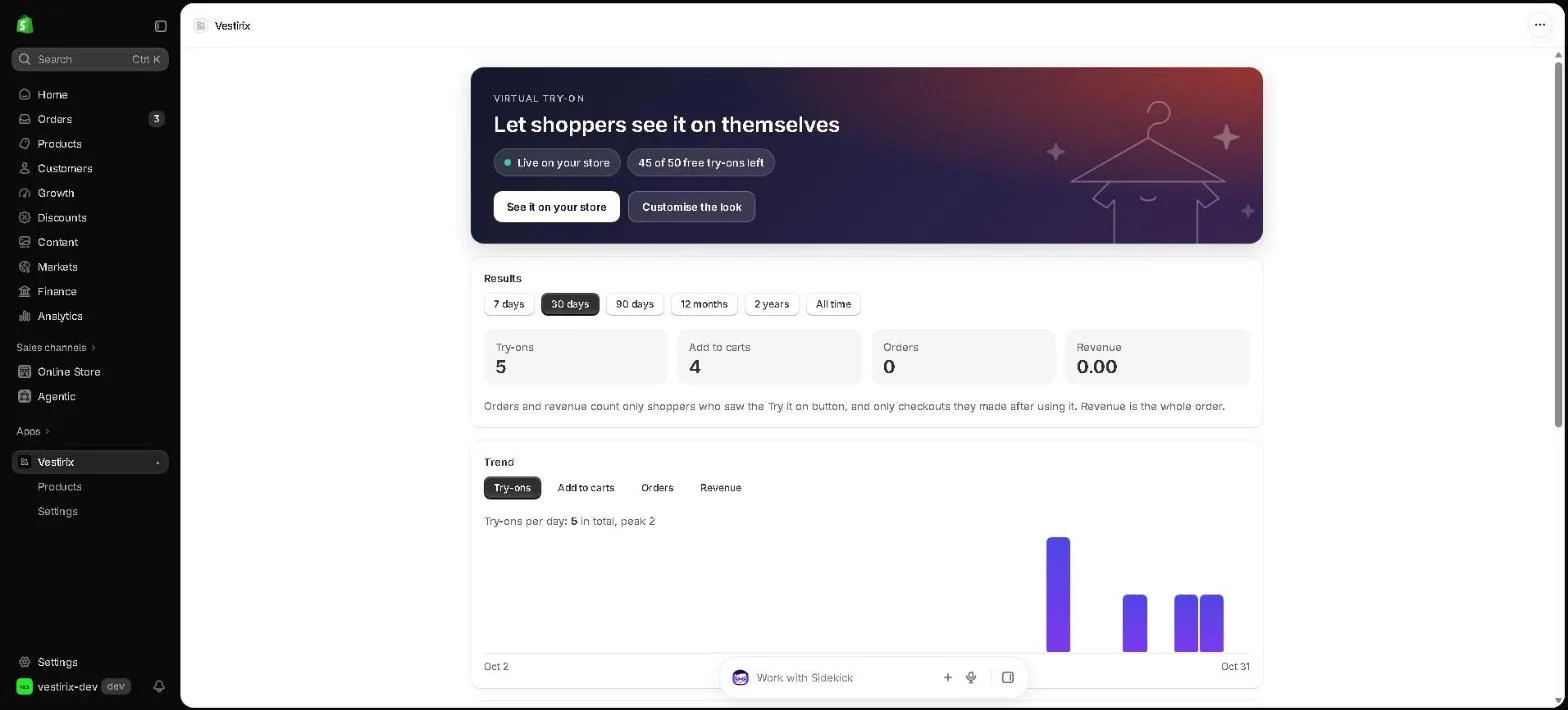
Inside the app: Home
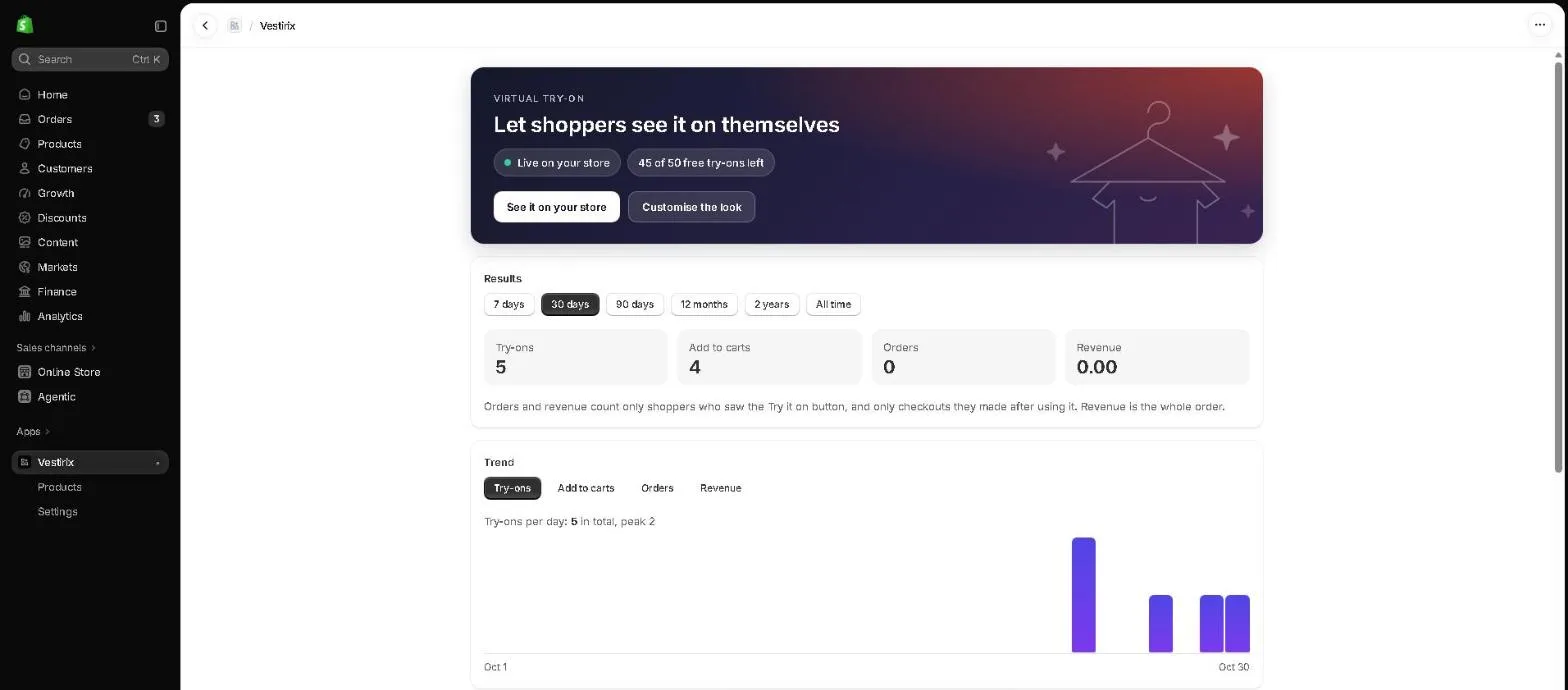
The page the app opens on. Whether Vestirix is live on your store, how many free try-ons are left, and try-ons, add to carts, orders and revenue for any range from 7 days to all time.
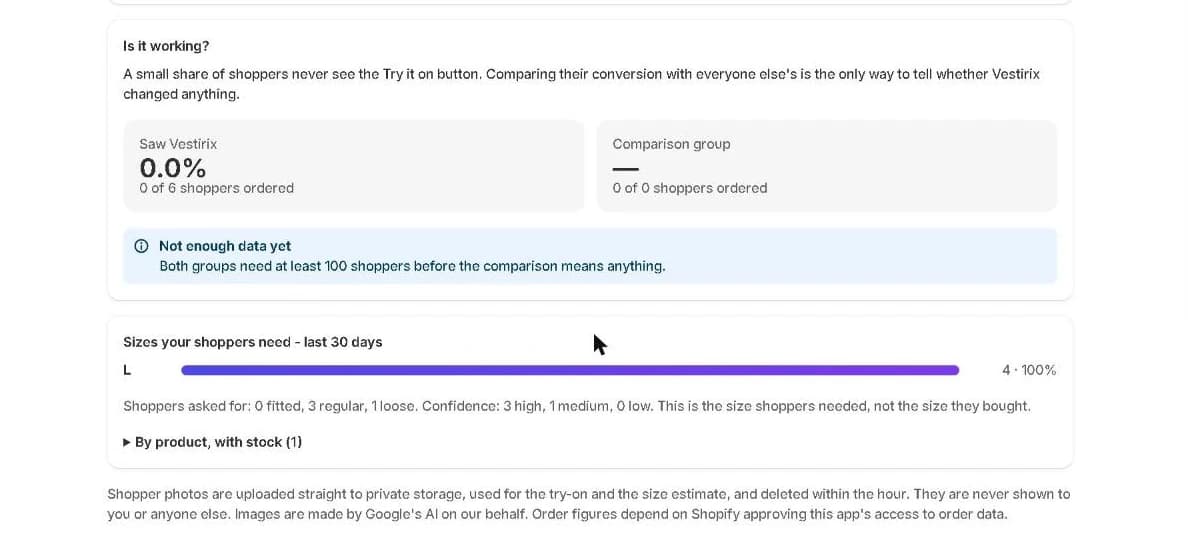
Is it working?
A share of your shoppers never sees the button. This panel compares their conversion with everyone else's, and says there is not enough data yet until both groups have 100 shoppers. How the comparison works.
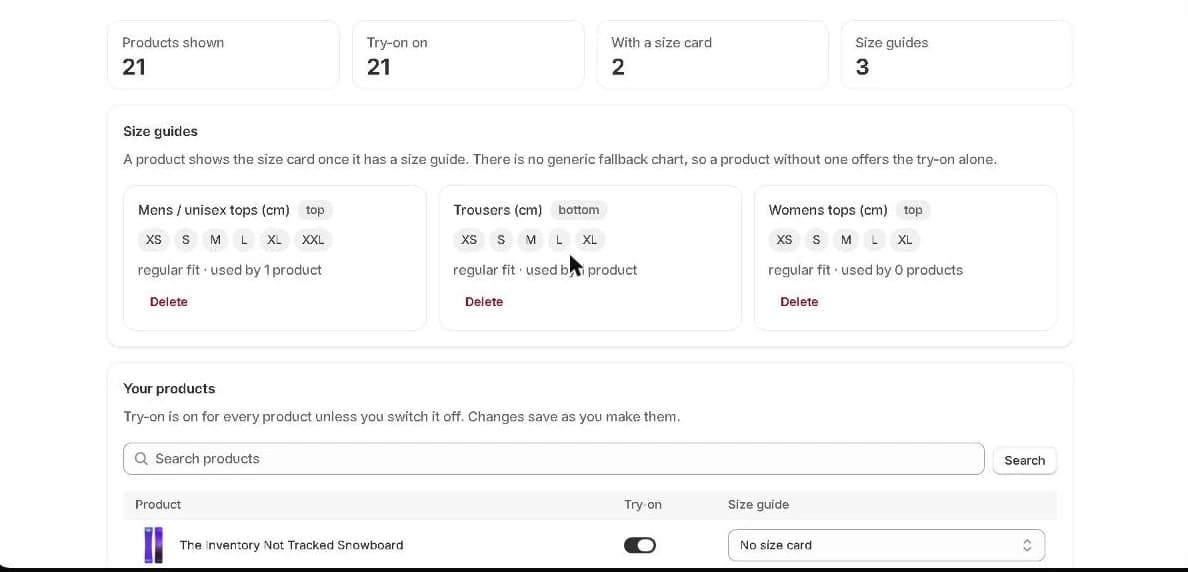
Products and size guides
Paste a size chart once, choose which products use it, and switch try-on off for any product.
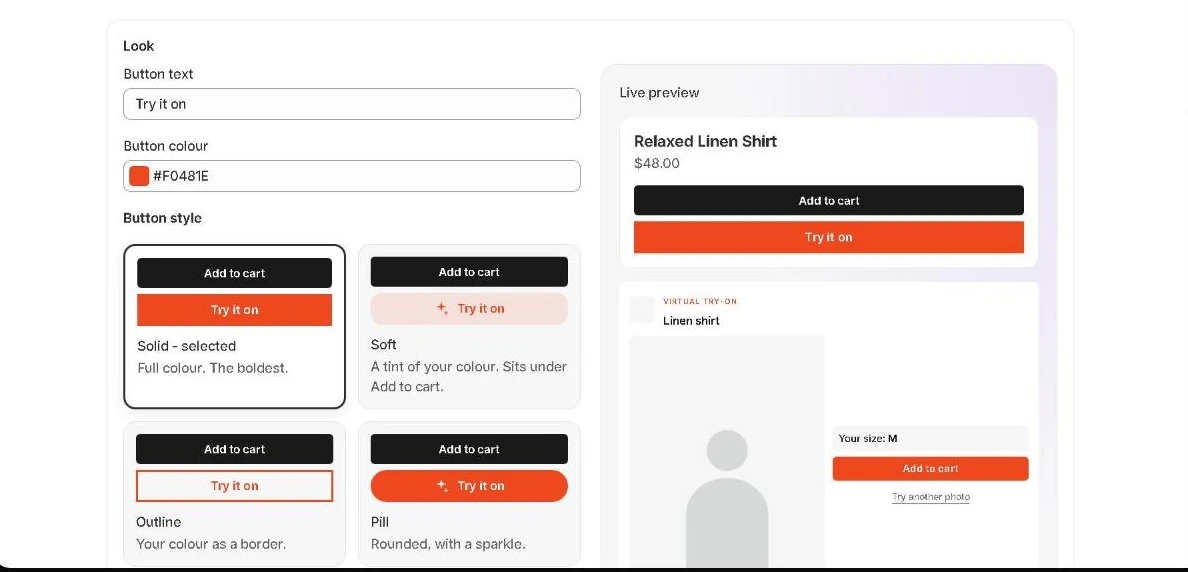
Settings, with a live preview
Button text, colour and style, pop-up style, quality, billing with a spending cap, and pause - with a live preview of the button and pop-up as they will look on a product page.
Questions
Are these images real?
Yes. The three results are unedited Vestirix output at Standard quality, from one photo, made with the same model and prompts the app uses. The app screenshots are the real app inside Shopify admin on our test store.
Why do the numbers in the screenshots look small?
They are our test store's real numbers, not a customer's. We show them as they are rather than invent bigger ones.
Can I see it on my own products?
Join the pilot list with your store's address. We reply to every store personally, usually within a day.